Drive & Shine
- 3.0
- Rating
- 10.00K
- Installs
- Free
- Price

 Analysis by App-foxy
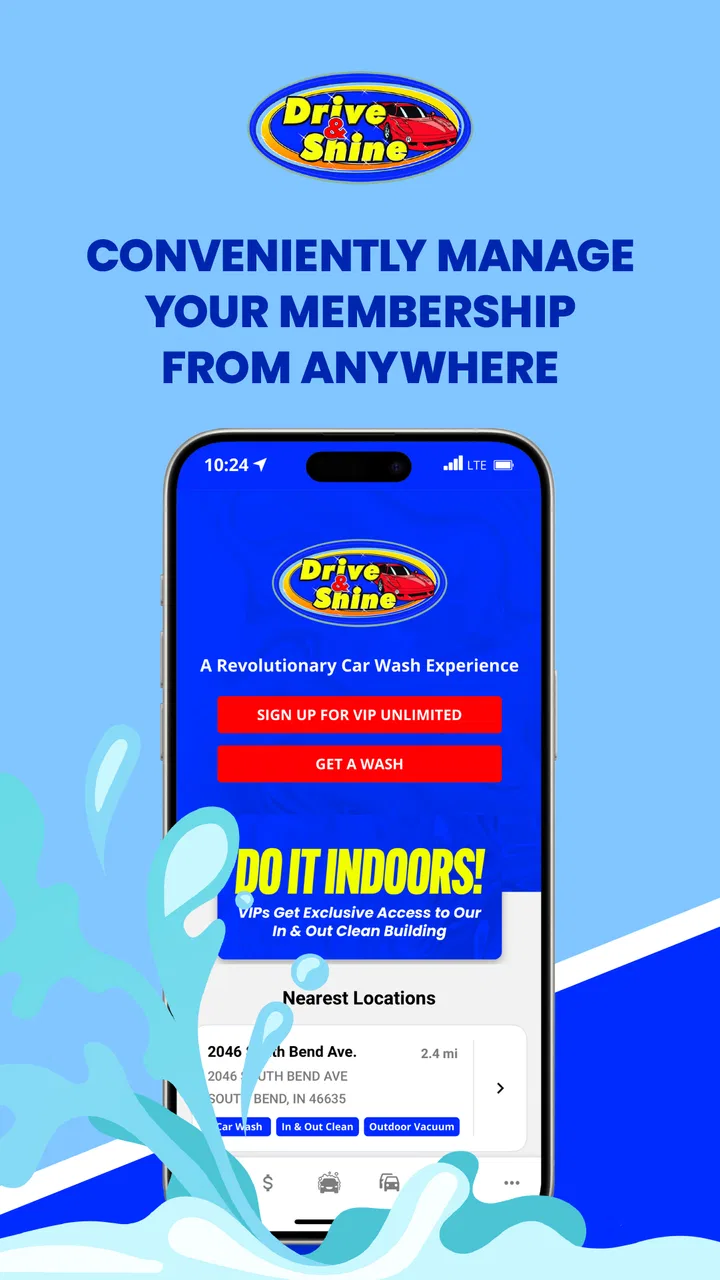
I approached Drive & Shine as a practical car-care companion rather than expecting it to behave like a general vehicle-management tool. Developed by Drive and Shine, Inc, this free Android app sits in the Auto & Vehicles category and is built around making regular car-care visits more convenient. That focus is both its main appeal and the key to understanding its limits.
My first impression is that the app makes the most sense for people who already use Drive & Shine and want a simpler way to handle repeat visits. The idea of convenient, unlimited car care sounds attractive, but the useful question is how well the app supports the ordinary routine behind that promise: deciding when to clean the car, checking what is available, and avoiding unnecessary friction when I am already on the move.
The app is free and rated for Everyone, so there is no financial barrier to trying it. It has reached over ten thousand installs, with an average rating of three out of five from roughly two hundred ratings. That middle-of-the-road score tells me to keep expectations sensible. This is not an app I would install because I want a polished all-purpose motoring platform. I would install it because I want a digital doorway into Drive & Shine’s car-care service.
You May Also Like

 Blood Strike: 2.5 Anniversary
Blood Strike’s Loadouts Turn Every Drop Into a Tactical Gamble
A close look at Blood Strike’s custom loadouts: how fast access to signature weapons reshapes its battle royale rhythm, rewards preparation, and narrows the gap between fights.

 Pandora - Music & Podcasts
Pandora’s Music Is Easy to Start, but Harder to Recover
Pandora’s strength is its low-effort path from a seed to a station. Its weak spot is how much confidence it asks you to place in connection, setup, and quiet recovery.

 8 Ball Pool
 Is Built on Rivalries, Rematches, and Routine
A close look at the rivalries, rematches, shared routines, and unanswered safety questions that turn a quick pool match into a persistent mobile community.

 Samsung Music
’s Quiet Strength Is Playing What You Already Own
Its reach comes less from spectacle than from dependable access to a personal library. That simplicity is both the app’s strongest retention engine and its ceiling.

 AccuWeather: Weather Radar
AccuWeather Review: A Quick, Clear Forecast for Everyday Decisions
For everyday plans, the best forecast is the one you can understand quickly. AccuWeather makes rain timing, radar, and local conditions easy to act on, with a few trade-offs.

 Hill Climb Racing
Why Hill Climb Racing Still Turns Crashes Into One More Run
A tiny car, a bumpy hill and one more upgrade: Hill Climb Racing keeps resurfacing because its simple chaos makes every near-miss feel personal.
More From Our News Desk
View All News


How the everyday Drive & Shine routine works
I find that the most helpful way to think about a regular visit is to separate planning from the moment I need the service. I can use a quiet moment to check what I need, then keep the actual errand simple rather than trying to make decisions on the road. That routine also makes it easier to spot whether a problem comes from the app or from the circumstances around the visit.
Start with the real reason you are opening it
The most reliable way to use this app is to begin with a specific task. If my car is dusty after a week of commuting, I am not looking for articles about detailing or a complete maintenance history. I want to move from deciding to clean the car to completing that visit with as few steps as possible. Keeping that purpose in mind prevents the app from feeling more complicated than it needs to be.
A realistic scenario is a weekday morning when I notice that road grime has built up on the vehicle. Instead of treating the app as something to browse casually, I would open it before leaving, check the relevant service information, and make a quick plan for fitting the visit into my route. The advantage is not dramatic automation; it is having the service relationship in one place rather than relying on memory, paper material, or a separate search every time.
That distinction matters because car-care apps often fall into two groups. Some are mainly directories that help people locate services, while others concentrate on fuel prices, repairs, vehicle records, or driving expenses. Drive & Shine is narrower. Its value comes from supporting a recurring cleaning habit, not from trying to replace every other automotive app on a phone.
I also found that a repeatable routine is more useful than repeatedly exploring every screen. On the first use, I would review the available account and service areas carefully. After that, I would return to the same starting point whenever I needed car care. This simple habit reduces the chance of overlooking the action I actually came to complete.
What the app is good at for regular customers
For an existing Drive & Shine customer, the app can act as a convenient companion to an established routine. The strongest use case is repetition: the same driver, the same type of service, and a regular need to keep the vehicle presentable. In that context, even small reductions in searching or decision-making can make the app worthwhile.
It is particularly suitable for people who prefer handling errands from a phone. I can see the appeal for a commuter who wants to deal with car care during a lunch break, a parent fitting a wash into a busy afternoon, or someone who simply dislikes carrying membership material or remembering separate service details. The app does not need to offer a large collection of tools to be useful in those situations; it needs to make the familiar process dependable.
There is also a practical psychological benefit to putting the routine on the phone. When car cleaning is treated as an occasional chore, it is easy to postpone it. A dedicated app gives the activity a clear place in my normal digital habits. I can check it when planning errands instead of waiting until the vehicle looks noticeably neglected.
Still, I would not confuse convenience with complete control. The app is best viewed as a service-access tool. If I wanted maintenance reminders, repair estimates, fuel tracking, tire-pressure records, or a detailed log of every vehicle expense, I would choose a different automotive app or combine several tools. Drive & Shine’s focused purpose is an advantage when that is what I need, but it becomes a limitation when my expectations expand.
Settings and account habits worth checking
Rather than changing settings at random, I would begin by checking the parts connected to my account, service access, and communication preferences. The useful principle is to make sure the app reflects how I actually use the service. If I usually visit during a particular part of the day, I want any relevant notices or reminders to support that routine rather than create noise.
I would also review notification behavior after installation. A car-care app can be helpful when it reminds me about something genuinely useful, but unnecessary alerts quickly turn a convenience tool into background clutter. My preference would be to keep only notifications that help me act, and to disable anything that does not contribute to a planned visit. That is a small adjustment, but it often determines whether I keep an app installed.
Another sensible check is the app’s operating compatibility. The current version is 11.0.2645 and it requires Android 8.0 or later. That makes it accessible to many still-used Android phones, although anyone with an older device should check compatibility before planning around it. I would also keep the app updated when practical, especially if I depend on it for access during a time-sensitive errand.
I would not spend time looking for advanced vehicle settings that are outside the app’s purpose. There is a temptation with any Auto & Vehicles app to expect a dashboard of odometer data, maintenance schedules, fuel economy, or diagnostic information. That is not the role I would assign to this one. The better setup is a modest one: make the account and service information easy to reach, keep communications under control, and use the app alongside—not instead of—other records I may need.
For privacy-conscious users, my practical advice is to read each permission or account prompt before accepting it and to provide only what is necessary for the service you intend to use. I would not create a profile merely to explore every possibility. If the app meets the immediate car-care need with a smaller amount of personal information, that is the route I would take.
Faster patterns that make repeat visits easier
The fastest workflow is built around preparation rather than frantic tapping at the last moment. I would open the app when I am already planning errands, decide whether the car-care stop fits the route, and confirm the relevant service details before driving. That avoids making decisions while parked in an unfamiliar place or while trying to keep a schedule.
A useful habit is to pair the car-care check with an existing routine. For example, I might review it when planning a grocery trip or before leaving work. This is more dependable than waiting for the car to look dirty enough to trigger a reminder. The app becomes part of a repeatable weekly or fortnightly planning pattern, while the actual frequency remains a personal choice based on weather, driving, and vehicle use.
I would also keep expectations clear when using the app away from home. Before starting a drive, I would confirm that the information I need is already available and that my phone has a stable connection. That is not a glamorous tip, but it is a useful trade-off: a few seconds of preparation can prevent an awkward pause when I am trying to act quickly.
Another efficient pattern is to separate discovery from execution. The first time I use the app, I can explore the available service flow and understand where the important actions live. On later visits, I would avoid browsing unrelated sections. This makes the experience feel faster and reduces the chance of selecting something accidentally simply because I am moving through screens without a clear goal.
For households with more than one driver, the app may be most useful when everyone agrees on one simple routine for using it. That could mean checking service information before a shared vehicle is taken out or making one person responsible for keeping the account details current. The important point is not to create an elaborate system; it is to avoid duplicate checking and confusion about who is handling the next visit.
These habits reveal where the app’s real strength lies. It is not necessarily about offering the greatest number of buttons. It is about reducing the mental effort around a recurring service. If I use it as a repeatable checkpoint, it feels more valuable than if I open it only when I am already standing in line and expecting instant answers.
Where experienced use still meets hard limits
The average rating of three out of five suggests that the experience will not satisfy everyone equally. I would treat that as a reason to test the app against my own routine rather than dismissing it outright. A focused service app can be genuinely useful to the right customer while feeling unnecessary or incomplete to someone who wants broader automotive tools.
The first limitation is dependence on the Drive & Shine ecosystem. If I do not use the company’s car-care service, the app has little reason to remain on my phone. A general car-wash finder would be more useful for someone who compares many independent locations, while a vehicle-maintenance app would better suit a driver who wants records and reminders across different providers.
The second limitation is that convenience does not remove real-world conditions. Opening an app cannot guarantee that a visit will fit my schedule, that a particular location will be convenient, or that the car-care process will match my expectations on a busy day. I would still make decisions based on route, time, and the condition of my vehicle rather than assuming the app can resolve every practical detail.
I would also avoid treating the app as proof that a vehicle is fully maintained. A clean exterior is not the same as a service history, and a recurring wash routine does not replace oil checks, tire inspections, or manufacturer maintenance. This is an important boundary for new users: the app supports appearance and convenience, not comprehensive vehicle care.
There can be friction whenever an app is used during a rushed errand. If I have not signed in, checked my preferences, or learned the basic navigation beforehand, the first real visit may take longer than expected. That is why I recommend setting it up at home, when there is no pressure. The goal is to make the later workflow familiar, not to learn it while managing a dirty car and a tight schedule.
People who dislike account-based service apps may also prefer a simpler alternative. If I only need an occasional wash, I might use a browser search, visit a nearby provider directly, or rely on a physical membership method if one is available to me. Installing a dedicated app is most justified when the service is part of my regular life.
Who should use it and who should skip it
I would recommend Drive & Shine to an Android user who already visits Drive & Shine, values a phone-based routine, and wants car care to be easier to organize. It is also a reasonable trial for someone considering the service and wanting to understand whether a dedicated digital companion fits their habits. Since the app is free and rated for Everyone, trying it does not require a purchase decision at the installation stage.
I would be more cautious if I wanted one app to manage every aspect of vehicle ownership. Drivers searching for fuel-price comparisons, repair-shop research, maintenance logs, roadside assistance, navigation, or detailed expense tracking should look elsewhere or use a broader combination of tools. The narrower design is not automatically a flaw, but it means the app should be judged on service convenience rather than feature count.
I would also skip it if I rarely clean my car, do not use Drive & Shine, or prefer comparing local providers each time. In those cases, the app may add another account and another icon without solving a recurring problem. The best app choice depends less on the store category than on whether its specific workflow matches the way I already handle the task.
For families, frequent commuters, and drivers who like predictable routines, the balance is more favorable. A dedicated car-care app can be worthwhile when it helps turn an easy-to-forget errand into a planned part of the week. The benefit is modest but real: the app works best when it supports a habit, not when it is treated as a complete vehicle-management system.
My verdict after using it as a car-care tool
Drive & Shine is a focused, free Auto & Vehicles app from Drive and Shine, Inc. Its purpose is easy to understand: give customers a convenient digital way to engage with the company’s car-care service. I appreciate that narrow focus because it keeps the app relevant to a specific everyday need, but I would not recommend it as a universal automotive companion.
The strongest approach is to install it, review the account and notification settings calmly, learn the basic service flow once, and then use it at the planning stage of each visit. That combination of preparation and repetition is more valuable than searching for complicated shortcuts. It also makes the experience easier to judge fairly, because I am testing the app against the job it is intended to support.
My final opinion is cautiously positive for the right audience. The three-star average indicates that the experience may have rough edges, and the app’s usefulness depends heavily on being a Drive & Shine customer. Even so, I can see a practical place for it in the phone of someone who wants regular car care to feel more organized. If that describes you, the free download is worth trying. If you want broad vehicle tracking or a marketplace of unrelated automotive services, I would choose a different tool instead.
FAQs for Drive & Shine
01What is Drive & Shine and what features does it offer?
Drive & Shine is a mobile app designed to enhance your car maintenance experience. It offers features such as reminders for servicing, a directory of local car washes and service centers, and DIY maintenance tips. The app also provides exclusive deals and discounts at partnered locations, making it a comprehensive tool for car enthusiasts.
02Is Drive & Shine available for both Android and iOS devices?
Yes, Drive & Shine is available on both Android and iOS platforms. You can download it from the Google Play Store and the Apple App Store, ensuring compatibility with most smartphones and tablets. Regular updates are provided to enhance functionality and user experience on both operating systems.
03Are there any costs or in-app purchases associated with Drive & Shine?
Drive & Shine is free to download and offers a variety of features at no cost. However, it does include optional in-app purchases for premium content and features. These may include advanced maintenance tips, ad-free usage, and exclusive deals. Users can enjoy the basic features without any financial commitment.
04How does Drive & Shine ensure the accuracy of service center information?
Drive & Shine partners with verified service centers and regularly updates its database to ensure accurate information. User reviews and ratings also contribute to maintaining reliability. The app encourages feedback from users to help improve the listing accuracy and quality, ensuring you have access to the best local services.
05Can I set maintenance reminders using Drive & Shine?
Yes, Drive & Shine allows users to set personalized maintenance reminders. You can input your vehicle's details and the app will notify you of upcoming services, oil changes, and inspections. This feature helps keep your vehicle in top condition by ensuring timely maintenance and reducing the risk of unexpected issues.
Pros
- User-friendly interface makes navigation easy.
- Wide variety of car customization options.
- High-quality graphics enhance gameplay experience.
- Regular updates with new features and fixes.
- Responsive customer support for quick assistance.
Cons
- In-app purchases can be pricey.
- Occasional lag on older devices.
- Requires constant internet connection.
- Limited offline gameplay options.
- Ads can be intrusive during gameplay.

Drive & Shine
Gallery